Turn a portrait into a calm, respectful talking tribute. Type a short message and the AI generates the voice and lip sync. Eligible new accounts get 2 credits to generate and preview a first clip.
Click to upload or drag & drop
JPG, PNG, WebP, HEIC · max 24MB
Upload a photo to preview
Your animated video will appear here
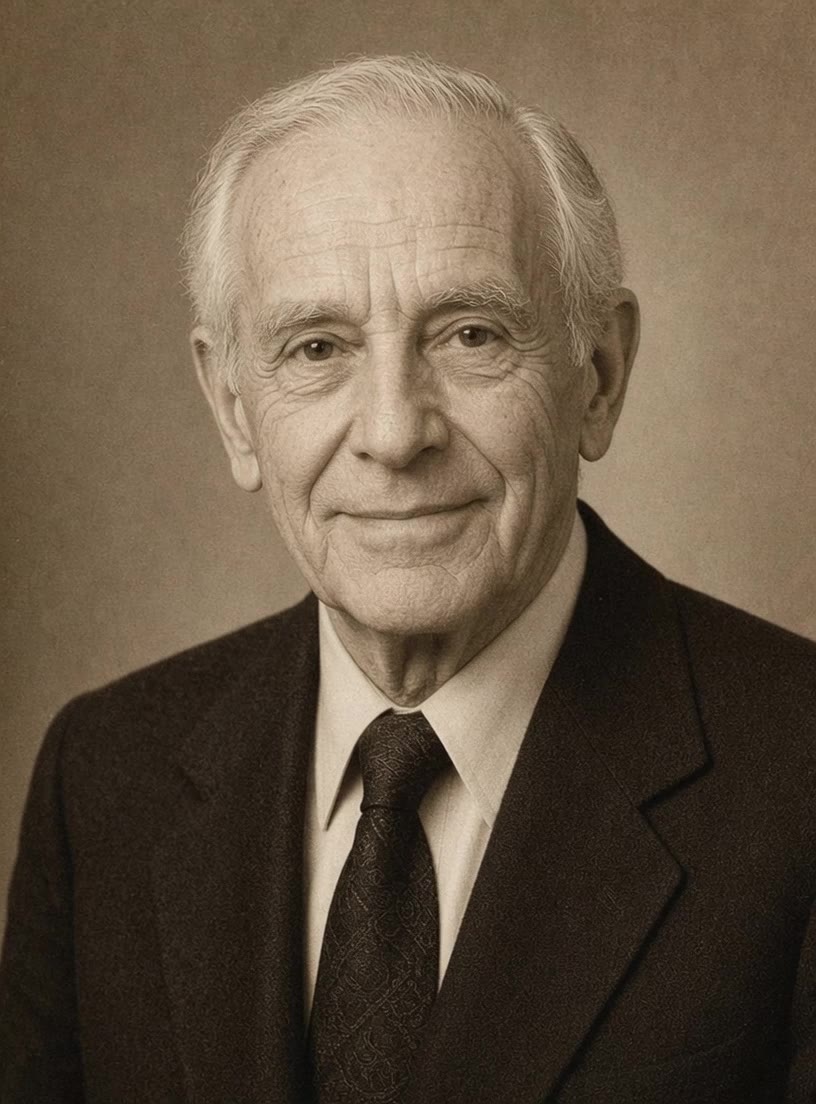
This clip was generated from a single sepia studio portrait and a short text prompt. The AI animates the person with calm facial movement, soft blinks and natural speech — the voice is AI-generated from the typed message.
Prompt
The person in the photo smiles softly and says a short, calm message of love and thanks, with gentle natural head movement
Choose a portrait where the face is sharp, well-lit and facing the camera. One face per clip works best — crop group photos to the person you want. Old black-and-white or sepia photos work directly, with no colorizing needed.
Write what the person should say — a name, a phrase they used to say, or a thank-you. The AI generates a calm voice from your text and synchronizes the lip movement automatically; there is no audio upload.
Press generate and preview the MP4 in a few minutes. Sign in to generate — eligible new accounts get 2 credits, enough to generate and preview one 5-second 480p clip on the default model. Downloading the video needs a credit balance above zero (any credit pack or plan).
Add a short spoken tribute between photos in a service slideshow — a grandparent thanking everyone who came, in their own familiar portrait.
Mark a remembrance day with a gentle clip: the person smiles calmly and says a line the family remembers them by.
Bring the archive section of a family history project to life — a great-grandparent from an old studio portrait, speaking a few words to later generations.
Some families record a farewell while they can; others only have photos afterward. A tribute clip lets the portrait deliver the goodbye you wish you could have said — or heard.
The AI voice is generated from the message you type, so short, simple lines work best:
On the default model, Grok Imagine Video 1.5, a tribute clip costs 2 credits for 5 seconds at 480p, 4 for 10 seconds, and 6 for 15 seconds — 720p doubles the cost. Sign in to generate: eligible new accounts receive 2 credits on signup — enough to generate and preview one 5-second 480p clip (downloading the MP4 needs a credit balance above zero). More plans and one-time packs are on the pricing page.
| Length | 480p credits | 720p credits |
|---|---|---|
| 5 seconds | 2 | 4 |
| 10 seconds | 4 | 8 |
| 15 seconds | 6 | 12 |
Only upload photos you have the right to use — under our Terms of Service you may only upload images of identifiable people if you have the right to use those images and, where required, the consent of the person depicted. Your uploads are used only to generate your results; depending on the feature, photos and prompts may be sent to third-party AI model providers, and images, prompts and generation history are retained while your account is active and deleted or anonymized within 90 days after account closure (you can request erasure sooner by emailing [email protected]). Terms of Service · Privacy Policy
Upload a clear portrait, type a short message, and preview a calm, respectful talking tribute in minutes. Sign in to generate — eligible new accounts get 2 credits, enough to generate and preview one 5-second 480p clip; downloading the MP4 needs a credit balance above zero.
