2026 comparison
The best AI tools to animate ancestor photos should still look like the person in the scan. This guide uses public documentation only. It is a comparison of motion, speech, length, price, and privacy, with no lab score and with only prices that were published.
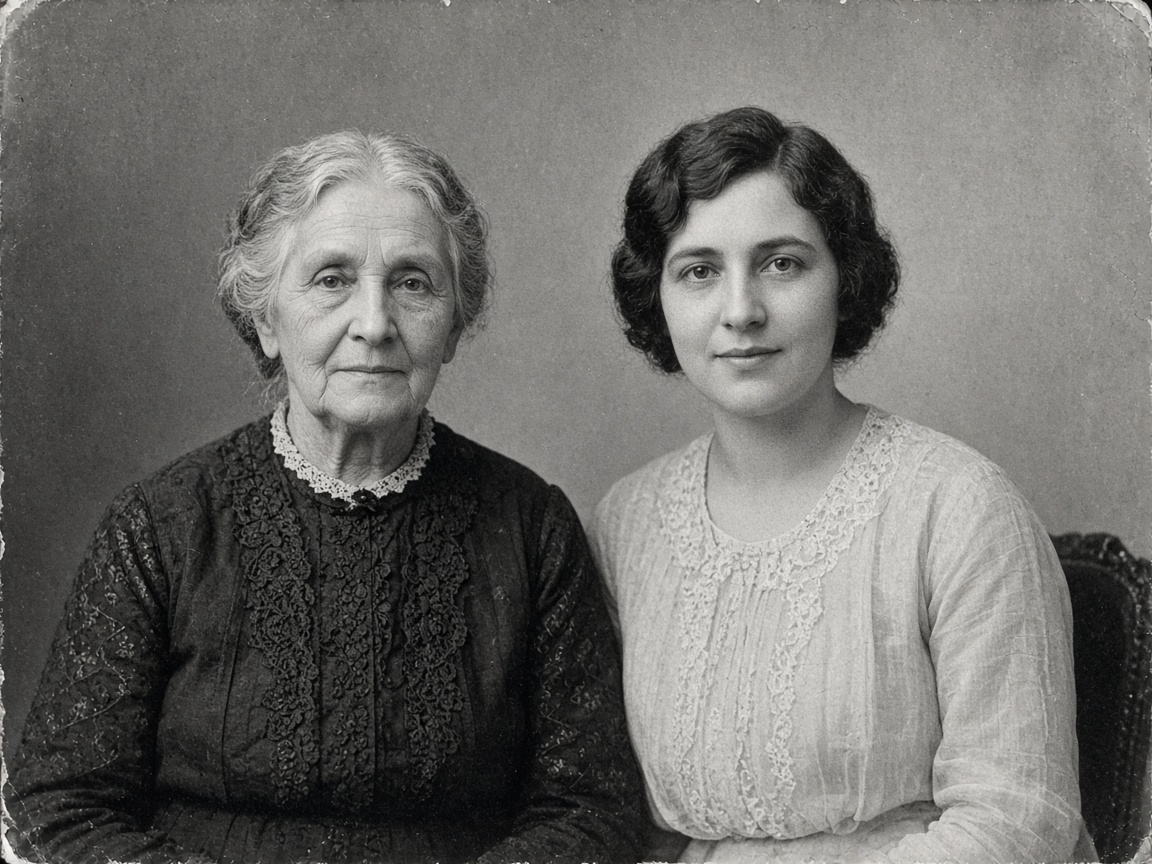
Demo of a scanned black-and-white family photo with gentle motion on Photo Animate, original tones kept. Read the best AI tools to animate ancestor photos below before you upload someone real.
Prompt
The black-and-white old photograph comes to life with natural motion, gentle smiles and blinking eyes, kept in its original black-and-white tones
Use them for a reunion, a memorial, or a few portraits in a family project. A daily marketing avatar is a different product.
After a death, say the clip is a new reenactment. The still photograph remains the real record.
Six checks separate the best AI tools to animate ancestor photos.
Prefer a blink and a small turn. Deep Nostalgia uses driver videos on one face so the person smiles, blinks, and turns their head. LiveMemory moves the whole scene. Incarn says each clip is generated for that photo. Photo Animate follows your prompt, so you can ask for quiet motion and the original tones.
The clip is not recovered film, and it is not their voice. Do not present a generated line as words a deceased person spoke. Ask living people first. Be careful with children and with any photo you do not have permission to use.
Photo Animate may send uploads to third-party AI providers. Images, prompts, and history stay while the account is active and are deleted or anonymized within 90 days after closure. Email [email protected] to erase them sooner. Incarn's facts page says photos are not used to train models, unpaid files leave the account after 45 days and are erased no later than 60 days after that, and paid files stay while the account exists. LiveMemory requires a MyHeritage account.
Photo Animate uses credits after you sign in. Incarn uses one-time photo packs. LiveMemory uses a Photo or Omni plan after a limited free try. D-ID uses minutes that reset each month. Vidnoz sells plans beside its talking-photo flow. Percify charges credits per second of speech.
Photo Animate defaults to 5, 10, or 15 seconds, or up to 30 seconds on Seedance 2.5. Incarn and LiveMemory document 5 seconds. D-ID rounds length up to 15-second blocks. Percify follows the audio, and a browser recording stops at 60 seconds. Vidnoz's talking-photo page says up to 5 minutes a scene.
Choose motion for a quiet portrait. Talking Photo on this site takes a typed script and generates the voice. It does not accept a recording from you. Incarn's paid file is silent. Vidnoz, D-ID, and Percify are built around speech.
Every figure below comes from a public page or from Photo Animate's own code. A price that was not on the page we read is left out.
| Tool | Built for | Motion or speech | Length | How you pay |
|---|---|---|---|---|
| Photo Animate | Family scans, including black and white | Prompt motion, or a typed script with a generated voice | 5, 10, or 15 seconds. Up to 30 on Seedance 2.5 | Sign in. 2 credits if the new account qualifies. Then packs or optional plans. |
| Deep Nostalgia | One face in MyHeritage | Driver-video smile, blink, and head turn | Short animation. Seconds not stated on the help page | MyHeritage photo tools. No dollar price is quoted here. |
| LiveMemory | A whole scene, including groups | Scene motion, plus optional hug, kiss, dance, laugh, or sing | 5 seconds | Account required. Limited free tries, then 20 videos a year on Photo or 30 on Omni. |
| Incarn | Old portraits in black and white, sepia, or color | Blink, smile, and a head turn. The paid file is silent | 5-second MP4, paid file in 720p | One watermarked 540p preview after signup. Then €1.99 down to €0.80 a photo. No subscription. |
| Vidnoz Talking Photo | A face delivering a script | Typed script, chosen or cloned voice | Their page says up to 5 minutes a scene | Sign in to generate. Paid plans also exist, so confirm any free allowance. |
| D-ID | Talking presenters | Upload a face or pick an avatar, then use a script | Minutes, rounded up to the next 15 seconds | Subscription. Unused minutes expire. Trial and Lite videos are watermarked. |
| Percify | Lip-sync to speech you supply | A browser recording, an audio file, or a saved voice | The length of the audio. A recording stops at 60 seconds | 2, 4, or 6 credits a second at Fast 480p, High 480p, and High 720p. |
Checked 10 November 2026 against Incarn's facts page (updated 25 October 2026), MyHeritage help articles dated 21 July 2026, the LiveMemory introduction, Vidnoz's talking-photo page, D-ID's pricing FAQ, and Percify's lip-sync documentation.
On Photo Animate the default model is Grok Imagine Video 1.5. A 5-second 480p video costs 2 credits, 10 seconds costs 4, and 15 seconds costs 6. Choosing 720p doubles the credit cost. Seedance 2.5 can render up to 30 seconds. A 30-second 480p clip with no reference video costs 140 credits.
Black-and-white and sepia scans animate directly. Colorizing is optional. Signed-in members can generate a restored, colorized, or upscaled still with no credit charge. Downloading that full-resolution still needs a balance above zero.
Deep Nostalgia works on black-and-white and color photos, runs enhancement if the photo was not already enhanced, and MyHeritage says the face technology was licensed from D-ID. LiveMemory's introduction calls the clips AI reenactments, not authentic footage, and says an AI watermark is added. The July 2026 help article describes the 5-second clip and the yearly video caps, and it does not restate that watermark or a dollar price.
Incarn's facts page says one credit is one animation, credits do not expire, and a photo with no visible face is refused before a credit is spent. The paid file is a 5-second 720p MP4 without sound, with the line “photo brought to life at www.incarn.co” and Content Credentials. Packs listed there: €1.99, €6.99, €11.99, €24.99, and €39.99 for 1, 5, 10, 25, and 50 photos. Their published median time is 63 seconds. That figure is theirs, not a Photo Animate test. The free try is one 540p preview with a preview watermark after email or Google signup.
Vidnoz lists photo rules for a clear front face, solid lighting, a closed mouth, and a file up to 10MB. D-ID's pricing FAQ is the source for the watermark on Trial and Lite, including a full-screen trial watermark, and for the 15-second rounding. Percify's docs price a 20-second clip at 40, 80, or 120 credits on Fast 480p, High 480p, and High 720p.
The button uses the existing old-photo page. Other best AI tools to animate ancestor photos stay in the table above.
Generation requires an account. Eligible new accounts receive 2 signup credits. Mainstream email domains qualify. Disposable addresses, plus-tagged addresses, some repeated-inbox patterns, and a few referral sources do not. Upload the print as it is, or restore it first if you want.
Ask for a blink, a soft smile, a slight turn, and the original tones. On the default model, 5 seconds at 480p costs 2 credits. Skip meme effects on a memorial portrait.
Credits are spent when generation starts. The download button runs only while the balance is above zero, and the download itself does not consume credits. If the clip uses the whole signup gift, add a one-time pack or a plan before you save the file. Paid accounts do not see the preview watermark. An account that has never paid, sitting at zero credits, does.
Tell viewers the clip is a new animation of a still photograph. Any spoken line was written by the family. Prefer quiet motion at a memorial. If the face changes, do not post it.
Open the best AI tools to animate ancestor photos flow on this site. Eligible new accounts get 2 credits — enough to generate and preview one 5-second 480p clip on the default model; downloading the MP4 needs a credit balance above zero. You sign in on the old-photo page.
