
Free
Zombie Love Story
An infected figure approaches, then recognizes you and pulls you into a warm embrace.
Upload two photos and generate the viral zombie love story — an infected figure approaches, recognizes you, and pulls you into a warm embrace. A cinematic clip with sound, 5 to 15 seconds. Free to try.
Person 1
Upload Person 1
Person 2
Upload Person 2
Upload a photo to preview
Your animated video will appear here
An infected figure approaches, recognition flickers, and the leap becomes a hug in a golden wheat field — the four-beat story your own photos will follow.
A sample of the trend's story arc. Your video is generated from your own photos.
Known on TikTok, Reels and Shorts as the AI zombie trend — or zombie hug trend: one of you has turned, the other can't pull the trigger, and the apocalypse dissolves into a memory of your happiest day together. Cast two adults, or tell the story with your pet.
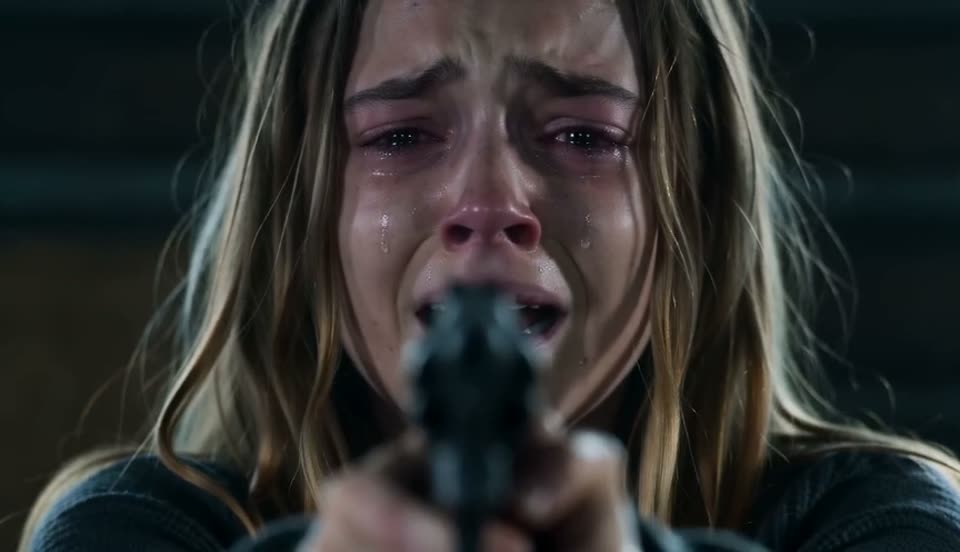 0–4s
0–4sInside a dim, ruined cabin the survivor aims a raised weapon with trembling hands, while the turned loved one — ashen skin, clouded eyes — walks slowly closer across the room.
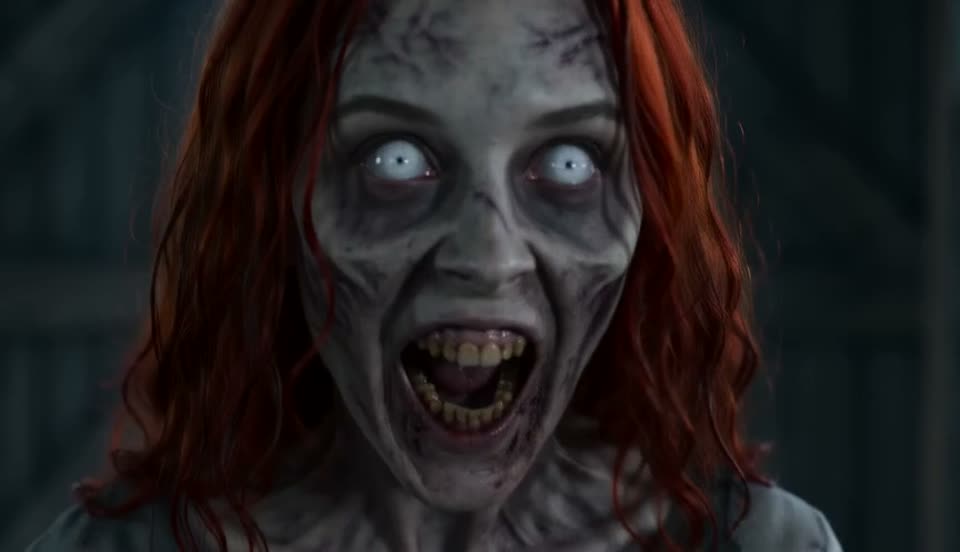 4–6s
4–6sAn extreme close-up of the zombie: grey skin, white clouded eyes, bared teeth — and still, unmistakably, the person you love.
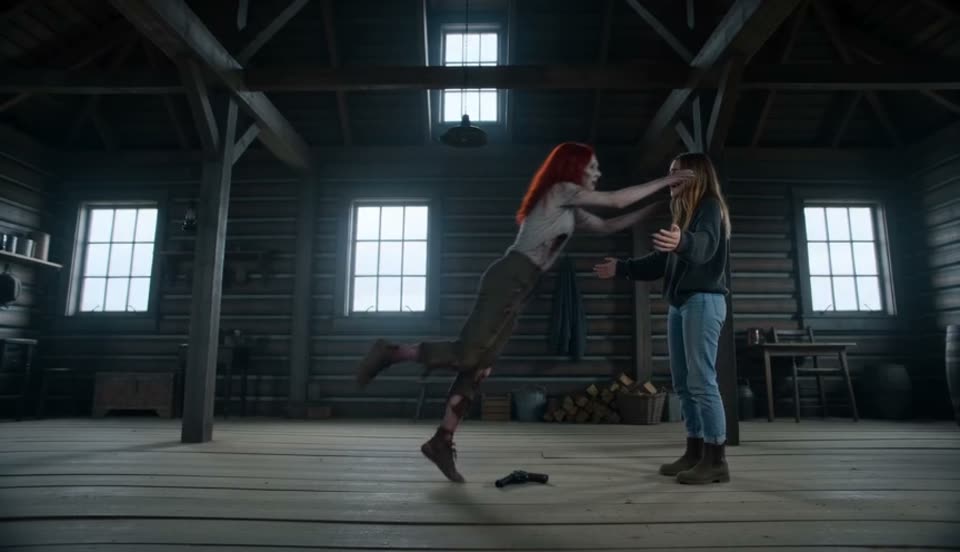 6–10s
6–10sThe weapon drops and both arms open — and the zombie sprints across the cabin and leaps.
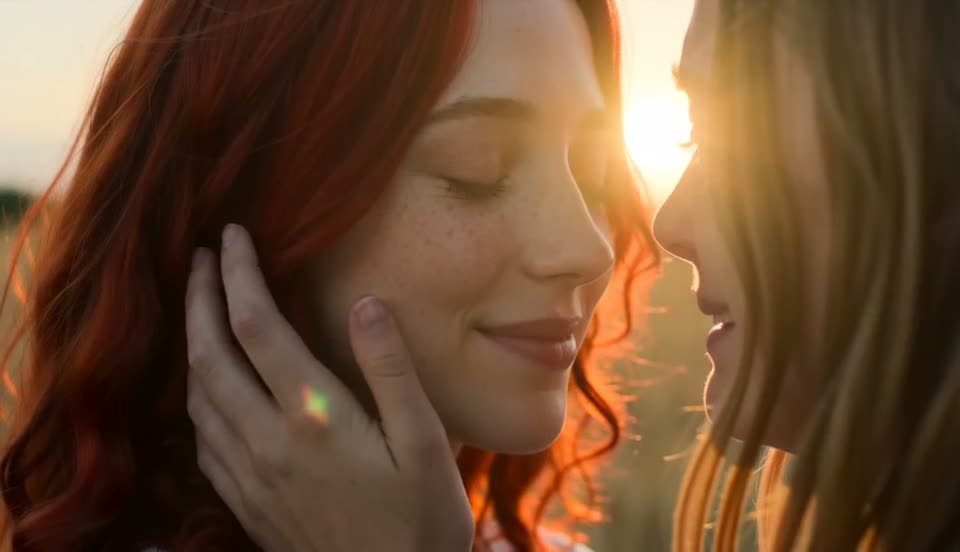 10–15s
In mid-air the film cuts to a golden wheat field, and the same leap lands as a warm hug between the two of you — both alive, both laughing.
The zombie trend works when horror flips into heart. Follow the formula, or copy one of our tested prompts and make it yours.
Using the first uploaded image as the strict identity reference for the survivor, and the second uploaded image as the strict identity reference for the loved one who has turned into a zombie, set the story in a dim ruined cabin at the end of the world — cold desaturated color, drifting dust, faint grey light through a broken window — and finish it in a golden wheat field under warm low sun. Hit the trend's timing: the standoff (0–4s) — the survivor aims a raised weapon with trembling hands as the turned loved one, skin ashen grey and eyes clouded, walks slowly closer across the cabin; the face (4–6s) — an extreme close-up of the zombie, grey skin, white clouded eyes, bared teeth, still unmistakably the loved one; the leap (6–10s) — the weapon drops, both arms open, and the zombie sprints across the cabin and leaps; the memory (10–15s) — in mid-air the film cuts to a golden wheat field where the same leap lands as a warm hug between the two of them, alive and laughing. Keep each person's face, hairstyle and clothing recognizable and consistent with their own reference photo throughout. Cold desaturated grade in the cabin, warm golden grade in the wheat field, the film's own emotional score with no lead vocals, subtle film grain, a slow handheld camera. Keep it cinematic and PG-13 — no blood spray, no gore, no wounds in focus, no lens flare, no sparkles, no morphing, no distortion, no extra people.
Two people share one final embrace in an apocalypse scene. One is a gentle, decayed figure, the other untouched and tearful. Dust and embers drift through the air, ruined buildings behind them, warm sunset breaking through the haze. The camera slowly circles the hug as the music swells. Keep both faces clear and consistent, cinematic framing.
The person in the photo slowly transforms into a zombie in one continuous shot: skin greying, eyes clouding, veins darkening, posture slumping forward, expression turning vacant. Subtle horror make-up build-up rather than a jump cut. Dim flickering light, cinematic push-in. Keep the original facial features recognizable under the transformation.
The pet in the photo becomes a spooky undead version of itself — matted fur, glowing eyes, slow eerie movement — walking toward the person from the second photo. Midway, the pet recognizes them, the glow softens and it nuzzles in affectionately. Fog and moonlight, cinematic camera, keep the pet's markings and the person's face recognizable.
A match-cut zombie edit: the person faces the camera in a clean, well-lit shot, then a hard cut lands on an apocalyptic version of the exact same framing — the same pose, now surrounded by smoke, ruined ground and an infected figure standing behind them. Cinematic contrast between the two worlds, keep the face consistent across the cut.
The person walks calmly forward as a distant horde of zombies staggers behind them in the mist. Wind moves their clothing, the ground is cracked and overgrown, and the light is desaturated and cool. Slow-motion cinematic push-in, shallow focus on the face. Keep the face clear and recognizable.
The whole workflow takes about two minutes — upload, pick a template, generate. No filming and no editing skills required.
Upload two photos Add one photo of each person, or one of a person and one of a pet. Clear, front-facing, well-lit shots where each subject is the main focus give the strongest likeness.
Pick a zombie template Tap a template card to load its story into the playground, or keep the default. The prompt auto-fits your duration — 15 seconds plays the full four-beat film.
Generate and download Hit generate and preview your AI zombie video free. Download the clean vertical MP4, then add your own horror score in CapCut or any editor and post it.
The AI builds the trend's signature arc — an infected figure approaches, then recognizes their loved one and the scene melts into a warm embrace. Fear and affection in one clip.
Upload two photos — you and a partner, friend or pet. The AI casts one as the human and one as the infected figure, keeping both faces and outfits consistent across the story.
Zombie Love Story, The Last Hug, a single-photo undead transformation, a match-cut standoff and a pet version — tap a template and its prompt loads into the playground instantly.
Pick 5, 10 or 15 seconds and the story prompt adjusts itself — the full four-beat film at 15s, a tighter cut when you go shorter. No prompt writing needed.
The AI animates from your uploaded photos, so facial features and outfits survive the decay make-up and the embrace. Clear front-facing photos give the strongest likeness.
New users get free credits — enough for a first zombie video at no cost. Generated with native audio and exported as a clean vertical MP4 for TikTok, Reels and Shorts.
Tap a template and its full prompt loads straight into the playground — the zombie love story even adapts to your chosen duration.
An infected figure approaches, then recognizes you and pulls you into a warm embrace.
One final embrace in an apocalypse scene as the camera circles and the music swells.
One continuous shot as the face greys, eyes cloud and posture slumps into undeath.
Your pet as an eerie undead version that softens and nuzzles in affection.
A hard cut between a clean shot and the same framing in a ruined apocalypse.
You walk calmly forward as a distant horde staggers behind you in the mist.
The AI puts both faces into every shot of the story. Photos like these give the strongest likeness.
The AI zombie video tool on Photo Animate is an independent creative tool and is not affiliated with, endorsed by, or sponsored by any trend originator, film franchise or rights holders. Use only photos you own or have permission to use.
Upload two photos, pick a zombie template and watch the AI turn horror into heart. Cinematic vertical MP4 with native audio, generated in minutes. Free credits for new users.