Free for signed-in members — no credits charged for generation

Restore Old Photos with AI

Remove scratches, repair tears and bring faded details back. Upload a damaged family photo and get a clean, high-quality restoration in under a minute — free for members.

Your photo

Drag & drop your photo here

or click to browse — JPG / PNG / WebP, up to 20MB

ResultIdentity-safe processing

Your restored result will appear here

Upload a photo and hit Generate — compare before & after with the slider, then download.

Photo Restoration Examples

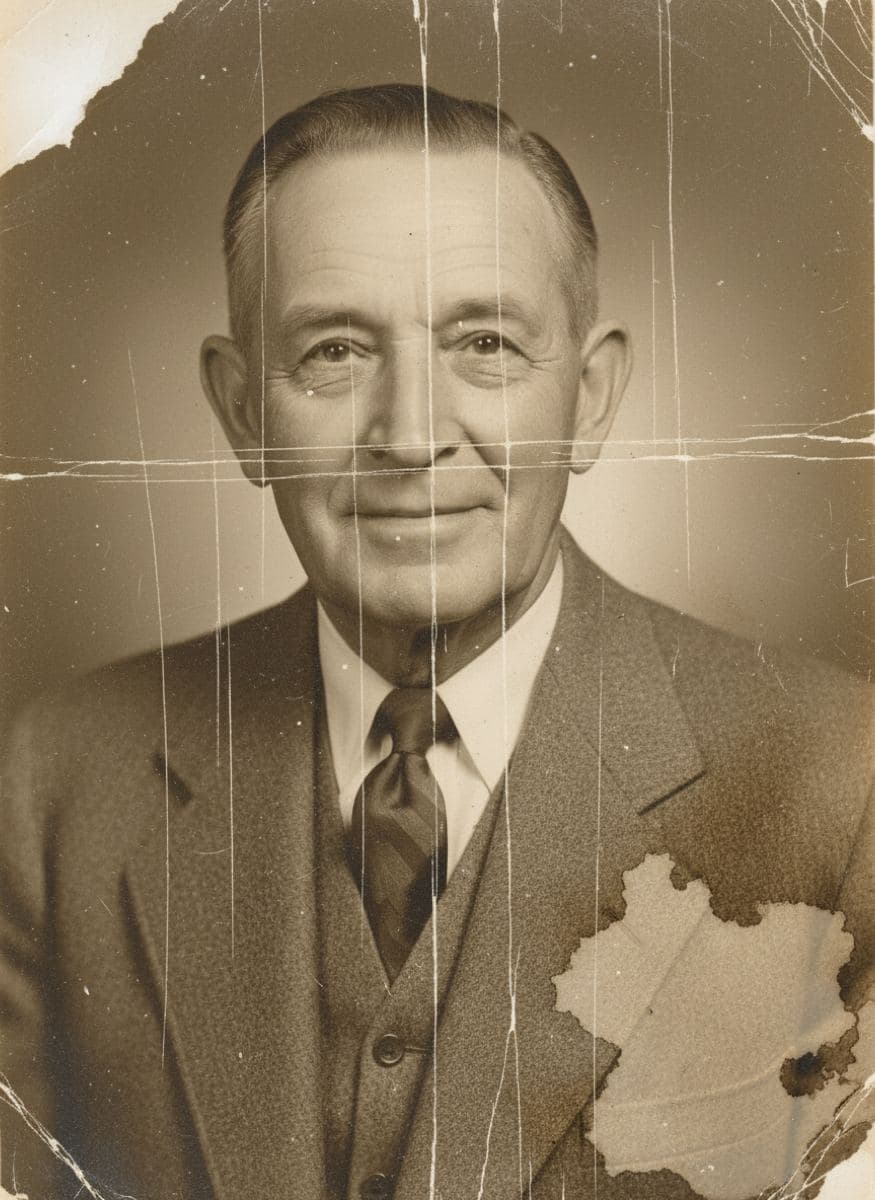
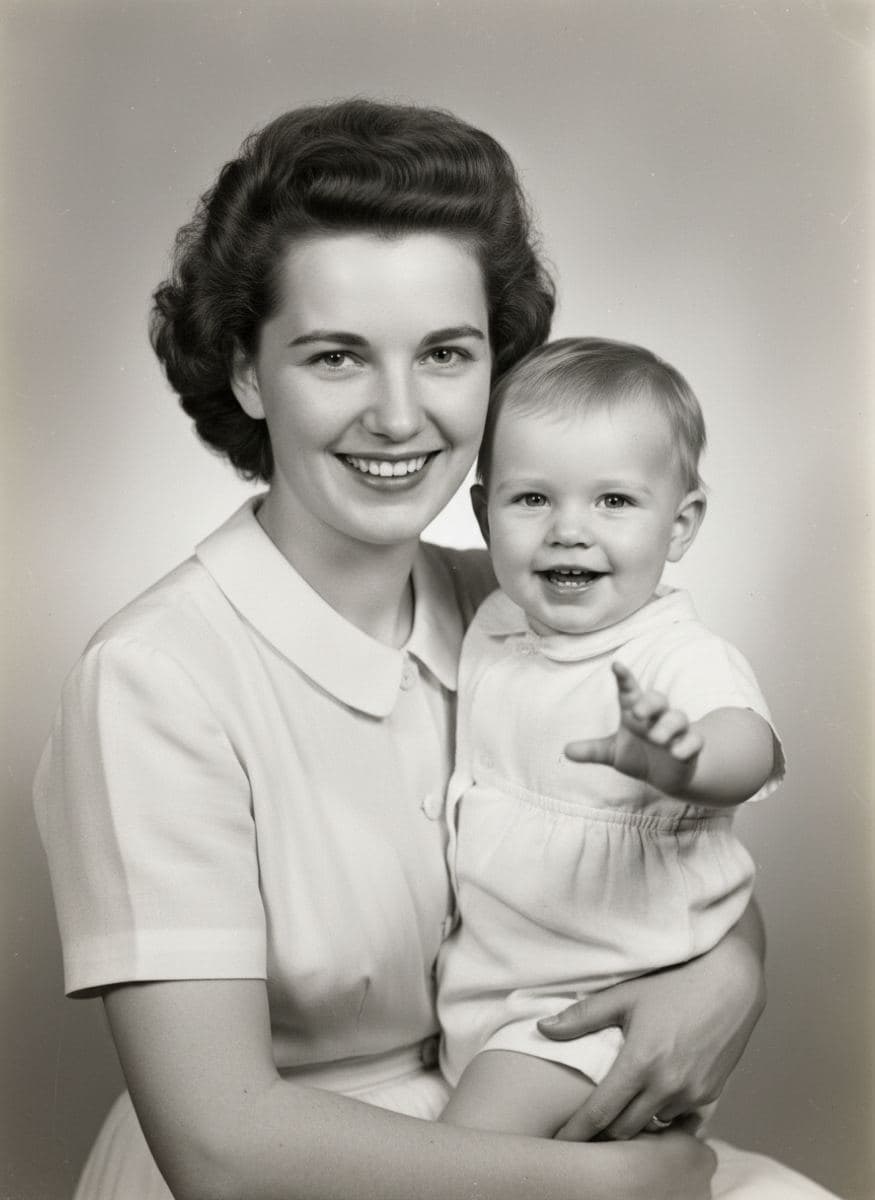
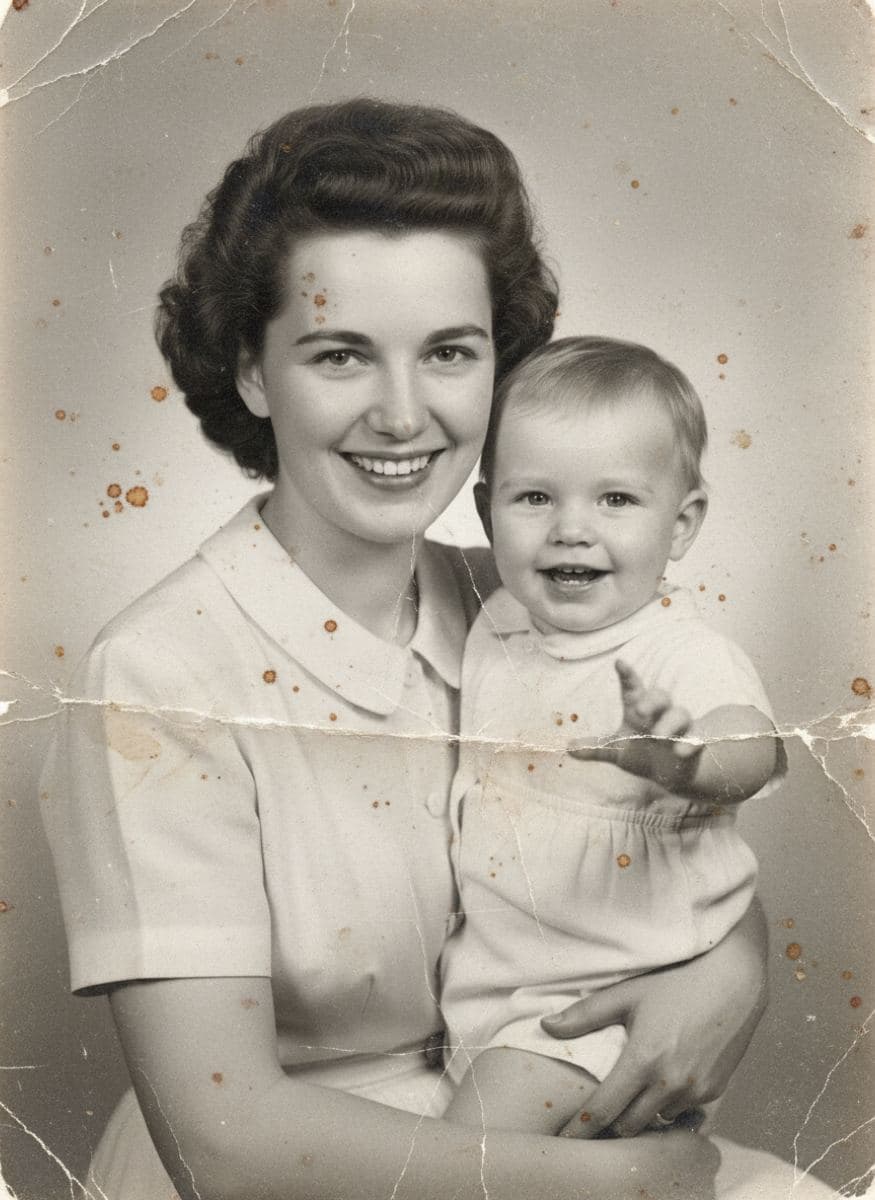
Drag the slider to compare the original damaged photo with the AI-restored version.
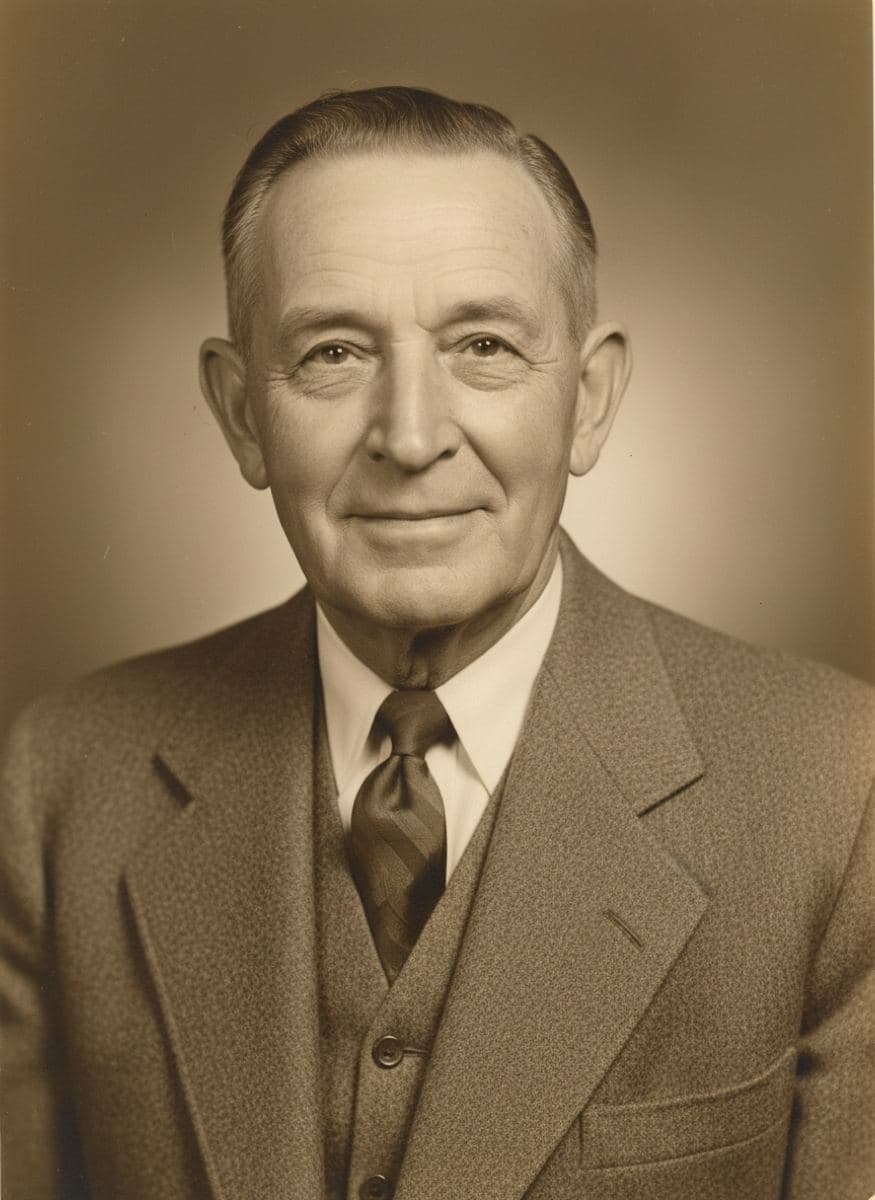
Image one
Image two
Image one
Image two

How to Restore Old Photos in 3 Steps

1

1. Upload the damaged photo

Drag & drop any JPG, PNG or WebP up to 20MB. Scanned prints, album photos or phone captures of old pictures all work.

2

2. AI restores it automatically

No editing skills needed. The AI repairs scratches and tears, removes noise, corrects fading and recovers details in under a minute.

3

3. Compare & download

Check the before/after slider, then download the restored photo in high resolution — free for members with credits.

Why Use Our AI Photo Restorer

Scratch, Dust & Tear Repair

AI automatically detects and removes scratches, dust, stains, creases and mold spots. Torn or missing areas are intelligently reconstructed so the photo looks whole again.

Face & Detail Recovery

The model specializes in recovering facial features, textures and fine details while preserving the person's identity — the restored face still looks unmistakably like your family member.

Fading & Exposure Correction

Yellowed, washed-out or under-exposed prints are rebalanced with natural contrast and tone. The photographic character of the era is respected — restored, never modernized.

Photo Restoration FAQ

Our AI photo restorer analyzes your damaged photograph and reconstructs it pixel by pixel: scratches, dust, stains and creases are removed, torn areas are filled in, noise is reduced, and facial details are recovered — all while keeping the person's identity and the original composition intact.
Yes. Restoring photos is completely free for signed-in users and never deducts credits. You can restore as many photos as you like. Only downloading the full-resolution result requires an account with credits.
No. The AI is identity-preserving: it cleans and sharpens the existing photo but does not alter facial features, expressions or proportions. The restored photo still looks like the same person, just clearer.
Absolutely. Black and white, sepia and faded color photos can all be restored. Restoration fixes damage and quality; if you also want natural colors added, use our free Photo Colorizer tool after restoring.
Scratches, dust, stains, creases, mold spots, tears, fading, blurriness and compression artifacts. Severely damaged photos often improve dramatically, though results depend on how much original detail survives.
Yes — that's the perfect workflow. Restore the photo here for free, then bring it to life with AI animation on our Animate Old Photos tool and watch your ancestors smile and move again.

Photo restored? Now make it move.

Take your restored family photo to the next step: animate it with AI and watch your loved ones smile, blink and move again.