Turn Christmas photos into magical AI videos with Santa hats, falling snow, and twinkling lights. Perfect for family portraits and old photos. Free to try.
Click to upload or drag & drop
JPG, PNG, WebP, HEIC · max 24MB
Upload a photo to preview
Your animated video will appear here
Upload a family portrait, an old photo, or a holiday selfie and watch the AI weave in Santa hats, falling snow, and twinkling lights. These examples are real videos generated from single still photos.
Prompt
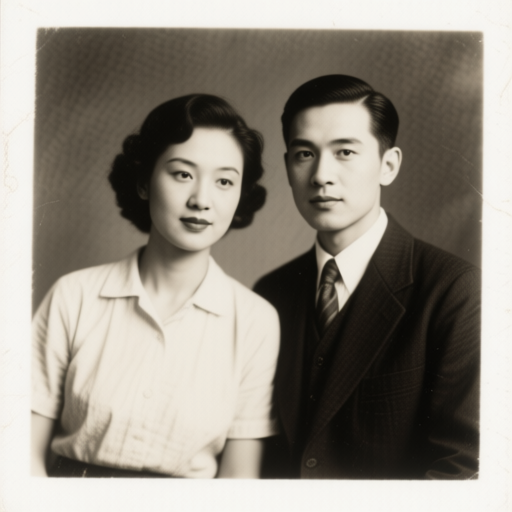
Heartwarming Christmas animation: the vintage couple suddenly wear red Santa hats, gentle snowfall begins, warm golden fairy lights twinkle around them as they smile and lean together, cozy festive magic
Santa hats appear, snow starts falling, fairy lights twinkle, and cozy golden bokeh fills the background — all generated from your prompt. Turn any photo into a holiday scene without props, costumes, or Photoshop.
The effect shines on family portraits and scanned old pictures — watch grandparents in vintage photos smile under fresh snowfall, or relive a childhood Christmas morning with the whole scene in motion.
Romantic mistletoe moment, cozy fireplace glow, snowy street with city lights, or a playful kids-opening-presents scene — describe the atmosphere and the AI builds it around your photo's subjects.
Powered by Grok Imagine Video 1.5, clips can include native audio — gentle jingle ambience, winter wind, and warm holiday tones. Your Christmas video lands ready to share.
Generate 9:16 for Instagram Stories and TikTok, 1:1 for feed posts, or 16:9 for YouTube and email greetings. A personalized animated Christmas card beats a static photo every time.
New users get free credits — enough to animate your first Christmas photo at no cost. Start early in December and build a whole set of holiday greetings before the season peaks.
Upload a photo and turn it into a magical holiday video with Santa hats, falling snow, and twinkling lights. Free credits for new users — start before the season peaks.